Uppsetningarleiðbeiningar
Fylgdu þessum skrefum til að stilla Bókun → Payday samþættinguna. Þú verður að setja upp skilríki í bæði Payday og Bókun.
1. Stilltu Payday API Skilríki
Til að tengja Payday reikninginn þinn, verður þú að búa til API Client og fá Client ID og Client Secret.
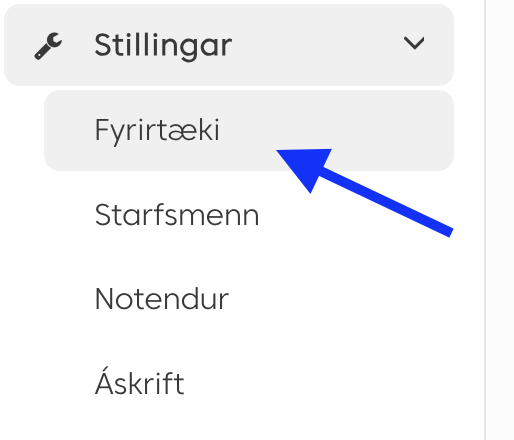
Skref 1: Aðgangur að API Stillingum
Farðu í Payday stillingar og finndu API stillingar.
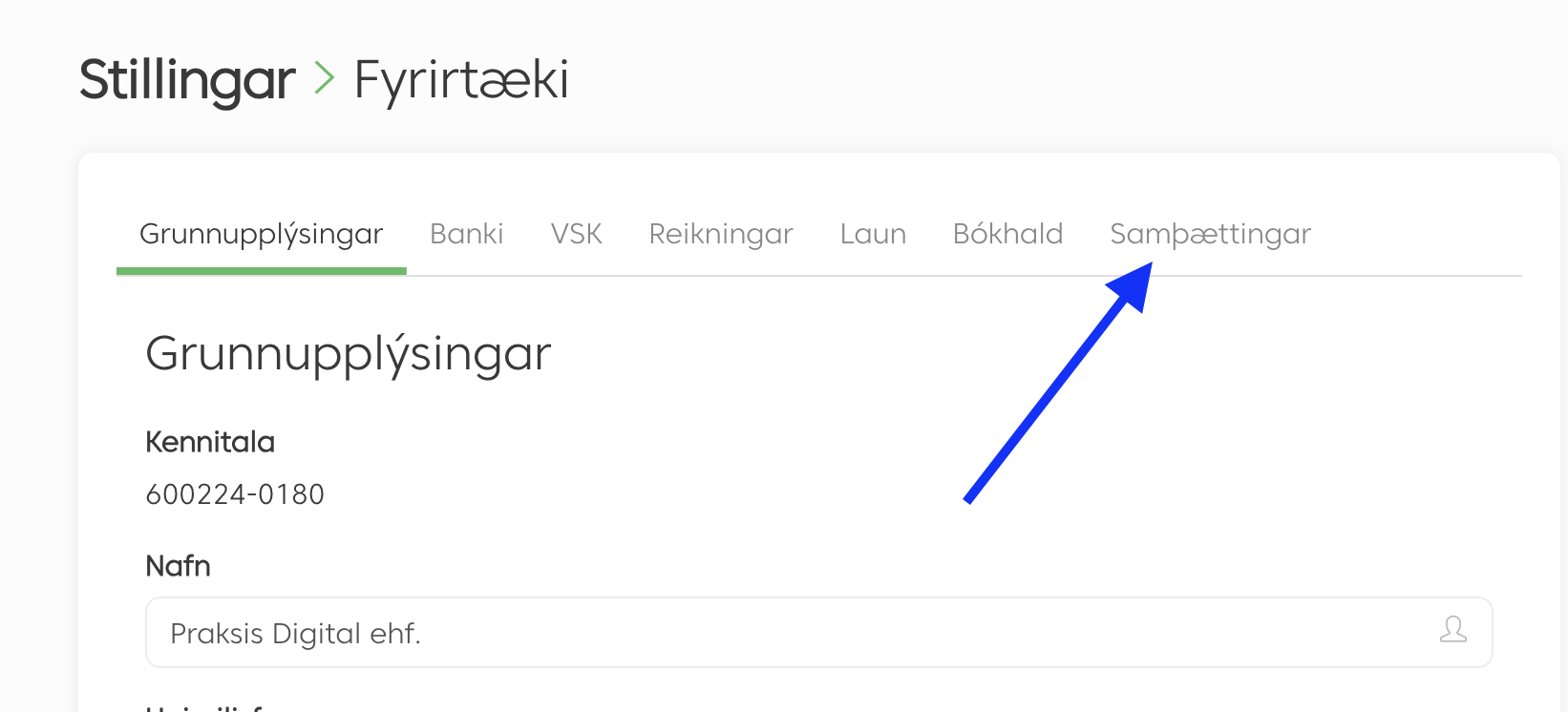
Skref 2: Búðu til API Client
Búðu til nýjan API client í Payday. Gakktu úr skugga um að skrá niður Client ID.
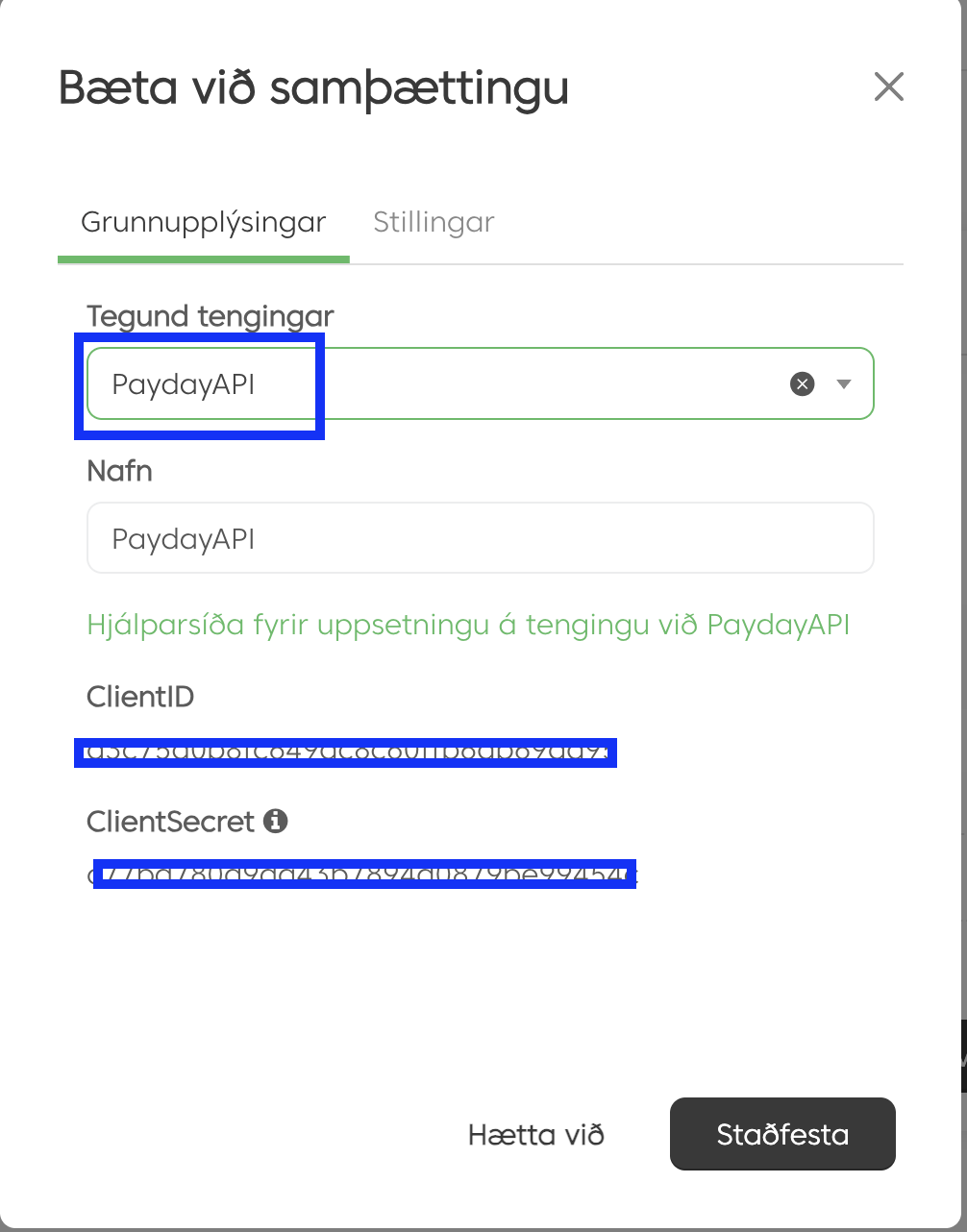
Skref 3: Fáðu Client Secret
Eftir að hafa búið til viðskiptavininn, færðu Client Secret. Afritaðu bæði Client ID og Client Secret - þú verður að nota þau á tengingarsíðunni.
Næst: Farðu á Stillingar síðuna og sláðu inn Payday Client ID og Client Secret.
2. Stilltu Bókun Webhook
Settu upp webhook í Bókun til að senda bókunatburði sjálfvirkt inn í kerfið.
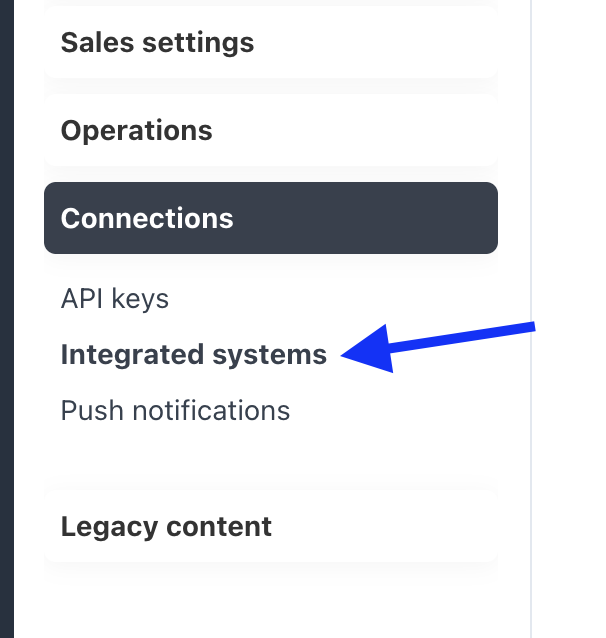
Skref 1: Aðgangur að Webhook Stillingum
Í Bókun stjórnborðinu, farðu í Settings → Webhooks.
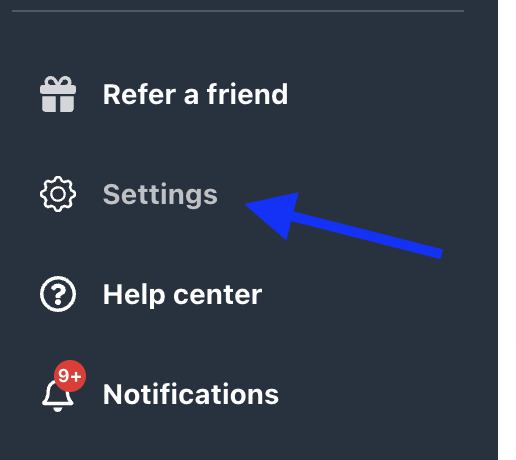
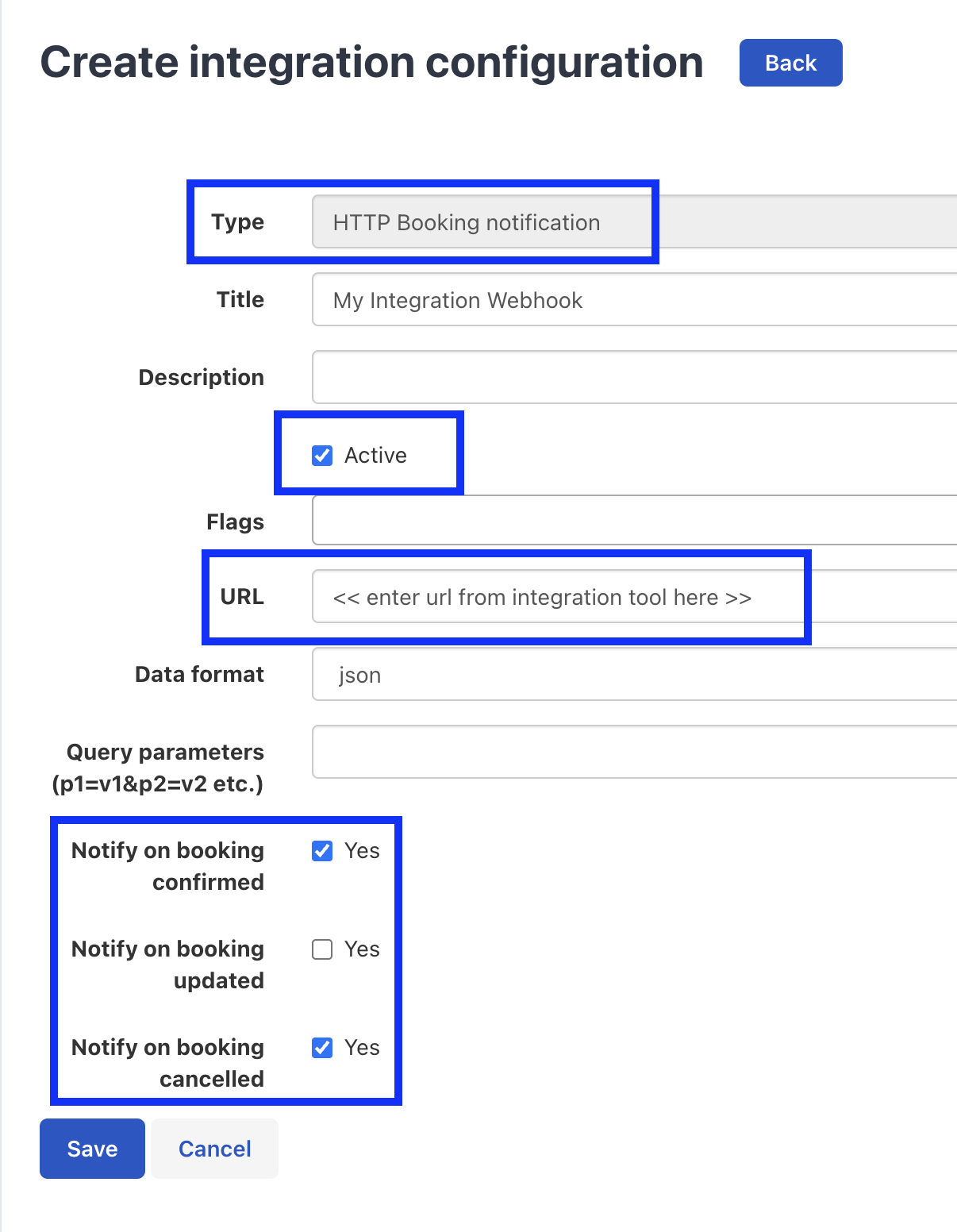
Skref 2: Búðu til nýjan Webhook
Smelltu á "Bæta við Webhook" eða "Búa til nýjan Webhook" til að hefja uppsetningarferlið.
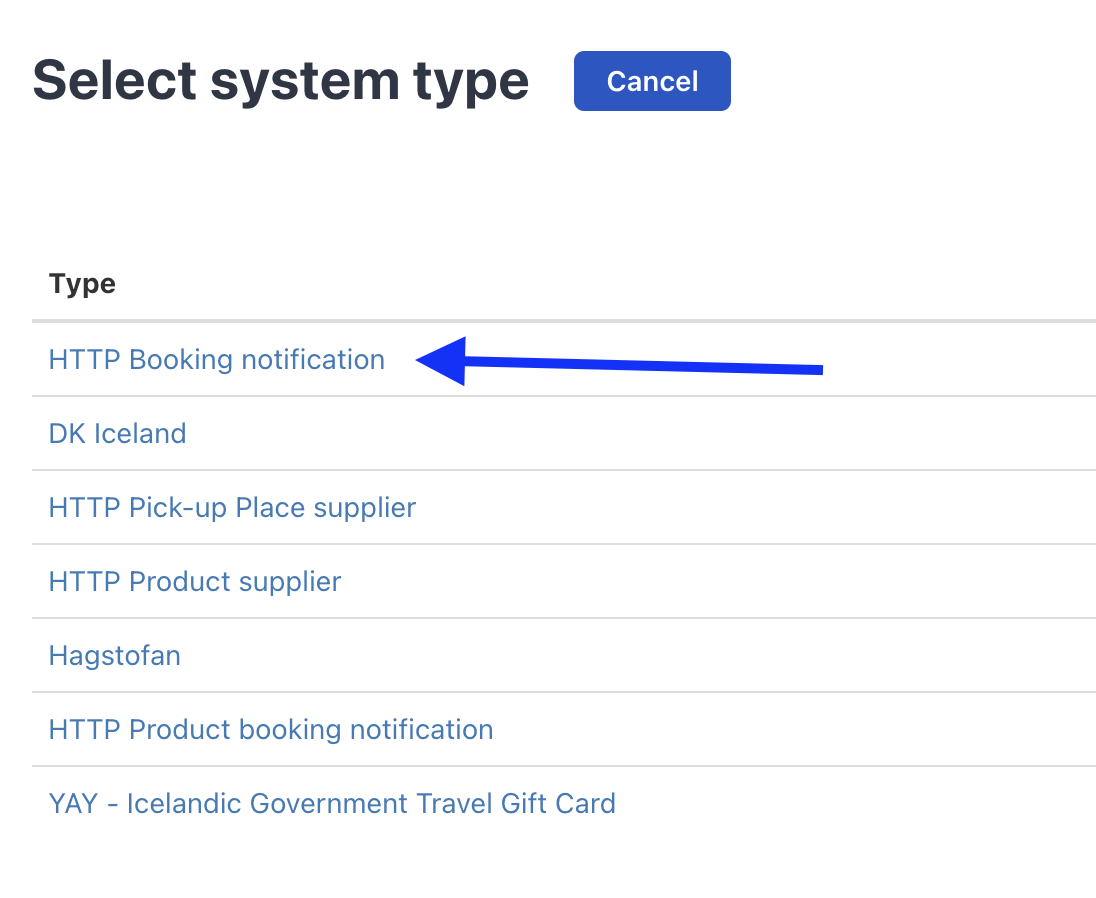
Skref 3: Sláðu inn Webhook URL
Afritaðu webhook URL frá tengingarsíðunni og límdu það í Bókun webhook URL reitinn.
Skref 4: Veldu Atburði
Veldu atburði sem þú vilt fá. Við mælum með að velja "Bókun Staðfest" og "Bókun Aflýst" atburði.
Skref 5: Vista og Virkja
Vistaðu webhook stillingarnar og gakktu úr skugga um að þær séu virkjaðar. Samþættingin er nú tilbúin til að taka á móti bókunatburðum frá Bókun.
Ábending: Eftir að hafa vistað, prófaðu webhook með því að búa til prófunarbókun í Bókun. Þú ættir að sjá atburðinn birtast á Atburðir síðunni.
Þarftu Aðstoð?
Stuðningur
Ef þú lendir í vandamálum við uppsetningu, er stuðningsteymið okkar hér til að hjálpa.
Hafðu Samband →